
What a learning experience platform is
A learning experience platform, or LXP, helps employees discover, organize and share learning resources around their roles, skills and goals. It brings formal courses and informal learning into a searchable environment, with recommendations and learning paths that guide employee development. Degreed Learning illustrates this model by connecting resources across existing learning systems.
The category gained visibility around 2017 as organizations looked beyond course catalogs toward employee-directed discovery. Josh Bersin’s contemporary analysis described platforms combining content aggregation, skills mapping and recommendations.
For your evaluation, start with the work employees need to perform. Identify where they struggle to find answers, practice unfamiliar tasks or locate relevant expertise. Then ask whether those problems require another platform or improvements to your current system.
Consider a hypothetical customer support team. Its approved training sits in an LMS, troubleshooting guidance lives in documents and experienced agents share advice in chat. An LXP-style environment could make those resources discoverable together, while connecting them to the skills required for different support roles.
Real products you can examine include:
- Degreed Learning, which connects formal and informal learning.
- Cornerstone LXP, which offers personalized development and adaptive learning paths.
- HowNow, which brings internal and external knowledge into an employee learning environment.
- Learning Pool Essential LXP, documented in the supplier’s public-sector service listing.
These examples help you compare approaches, rather than establish a universal product ranking. Examine each platform against your own content, access requirements and reporting needs.
Create a simple inventory before evaluating technology. List the resources employees use, the systems holding them and the people responsible for accuracy. This gives you a concrete starting point for deciding what an LXP must connect and which problems require better content instead.
WTT Solutions builds custom platforms and extensions rather than reselling these products. The decision framework below applies whether you buy an existing LXP or add comparable capabilities to software you already operate.
LXP vs learning management system in one table
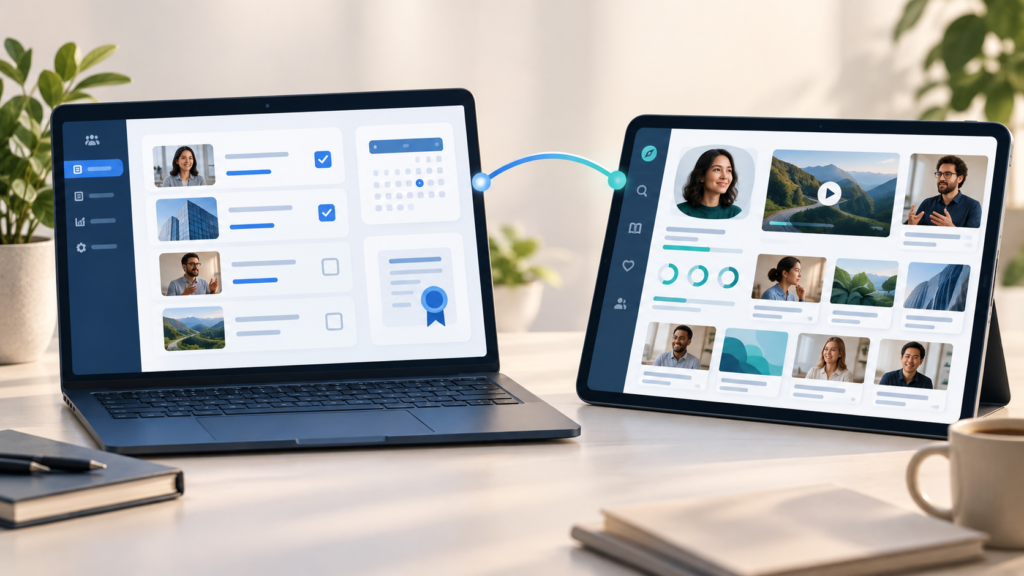
The distinction concerns the system’s main purpose. An LMS organizes assigned training and its records. An LXP emphasizes discovering learning relevant to an individual. Cornerstone’s dedicated LXP vs LMS comparison describes these complementary priorities.
Use the following table to frame requirements. It describes typical emphases, not capabilities every product must include or exclude.
Decision area | Learning management system emphasis | Learning experience platform emphasis |
|---|---|---|
Who directs learning | Administrators and instructors assign programs | Learners explore resources relevant to their goals |
Content organization | Managed courses and structured catalogs | Curated resources from internal and external sources |
Next learning action | Assignments, prerequisites and deadlines | Recommendations based on skills, interests and activity |
Learning format | Structured courses and scheduled training | Courses alongside articles, videos and peer knowledge |
Reporting | Completions, assessments and training records | Discovery, participation and skill development signals |
Governance | Enrollment rules and controlled delivery | Curation, contributor permissions and resource quality |
Primary evaluation question | Can you administer and prove required training? | Can employees find and apply relevant learning? |
Development reference | Define the discovery and skills capabilities you need |
The boundary is not absolute. Moodle’s documentation includes competencies, personal learning plans and peer assessment within an LMS. Treat those as reasons to inspect your existing capabilities before purchasing another system.
Ask your team:
- Which learning records must remain authoritative?
- Which resources are difficult to find today?
- Which missing functions would materially improve employee development?
For example, a manufacturing organization could keep required safety courses in its LMS while adding searchable troubleshooting guidance and peer demonstrations. Specify how employees move between these experiences and where completion records are stored.
If you use both systems, document who owns each record. Assign a source for employee identity, course status, skill ratings and certification history. Agree how updates flow between systems and how failed updates become visible to administrators.
During a demonstration, ask the vendor to show the entire journey using your scenario. Follow a learner from recommendation to resource access, assessment and reporting. A polished home page cannot answer whether the underlying workflow works.
Choose your architecture after this review. You might need a separate discovery layer, a module within your LMS or a platform combining both functions.
The features that define a useful learning experience
Content curation and content creation
Content curation means selecting and organizing resources for a specific audience and purpose. Degreed, for example, connects licensed learning content with proprietary resources and other materials from [third party content providers] sources such as SharePoint.
For your own platform, specify how resources enter the index and who can see them. Record their owners, review dates, source locations and associated skills. An LXP can also pull in content from external sources such as [linkedin learning], which expands access to curated professional development resources. Preserve access restrictions when importing metadata or linking to external systems.
Separate discovery from permission to use content. Finding an external course should not suggest that an employee has a license to open it. Test this distinction before launch.
Give content creation a controlled workflow:
- Draft and submit material.
- Review accuracy, permissions and accessibility.
- Publish with an owner and review date.
- Update or retire outdated resources.
Fuse’s content documentation provides a named example of employee contributions, including articles, questions, links, uploaded files and recorded videos. This kind of [user generated content] supports employees who want to [share knowledge].
AI recommendations with an explainable mechanism
Ask what information actually drives personalized learning. Degreed’s skills documentation states that selected skills generate skill-specific recommendations. Cornerstone describes personalization using individual skills, roles and career aspirations, while recommendation logic can also use learner data and learner behavior as inputs to surface relevant options.
For a custom implementation, you could match content tags against a learner’s role and target skills, then use machine learning in a learning experience platform LXP or lxp platform to rank personalized content and build highly personalized learning paths. Additional signals could include prior activity, resource quality and explicit feedback. AI recommendations can help deliver training aligned with learner preferences, and personalized learning can boost engagement by up to 50%. This is a design approach, not a claim that every vendor uses the same algorithm.
Require an explanation such as “recommended to support your forecasting skill goal and strengthen personalized learning experiences.” Let employees dismiss irrelevant suggestions or correct their profile. Review whether the engine repeatedly promotes popular material while overlooking specialized resources.
In a hypothetical sales program, a learner targeting forecasting could receive approved CRM guidance, a practice exercise and a manager coaching session. Check whether those recommendations support the task rather than merely match the word “sales.”
Skills taxonomy for employee development
A skills taxonomy gives your platform a shared vocabulary for capabilities. HowNow describes mapping skills to roles and learning, with visibility into gaps. A strong model should also connect those definitions to relevant skills for each role and support longer-term career development.
Start with the roles included in your initial rollout. Define each relevant skill, the expected skill proficiency and the evidence you will accept. Assign ownership for changes and map synonyms to prevent fragmented reporting.
Keep evidence types distinct:
Signal | What you should record |
|---|---|
Self-rating | The employee’s assessment and its date |
Manager observation | The task observed and the evaluation criteria |
Assessment result | The assessment, score and conditions |
Work sample | The submitted evidence and review outcome |
Use this structure to avoid treating confidence, course completion and demonstrated performance as interchangeable. LXPs also include analytics dashboards that combine skills data with role expectations to identify skill gaps and support workforce readiness.
For instance, define “spreadsheet analysis” through observable tasks such as cleaning a dataset and explaining a calculation. Ask reviewers to apply the same criteria so the skill label has a consistent meaning across teams and ties measurement to career growth.
Social and collaborative learning
Collaborative learning should connect people around useful questions, shared practice and feedback, supported by collaboration tools that make social and collaborative learning easier to sustain. Fuse’s documented community contributions provide a practical example of this capability.
Define how employees ask questions, identify subject matter experts and find approved answers, especially when discussion forums and user-generated content add value around online courses or peer exchanges. Make moderation responsibilities explicit. Allow a valuable discussion to become a reviewed resource that others can discover later. These interactions improve knowledge retention and help employees build skills together. Social learning also increases motivation among employees.
For related examples, see our guide to Social learning platforms. Use that resource to explore social formats without duplicating an entire platform shortlist here, while noting that collaborative spaces also help employees develop new skills through self directed learning.
Blended learning paths for each learning journey
A learning path should show the sequence of activities needed for a goal, with learning paths tailored to a role or outcome rather than a generic sequence. Cornerstone’s adaptive paths illustrate personalized progression; 360Learning’s platform plans also document blended learning and instructor-led sessions.
When designing your learning journey, combine resources with opportunities to apply knowledge at their own pace where appropriate:
- Review the relevant guidance.
- Attend a workshop or coaching session.
- Complete a practice task.
- Submit evidence and receive feedback.
Let experienced employees demonstrate existing capability where your program permits it. Keep mandatory requirements explicit so optional recommendations do not obscure assigned work. Personalized learning paths can support custom training and personalized training for different roles. This structure also works best when each step is aligned with clear learning objectives.
Mobile access that supports the task
Moodle’s mobile documentation shows that mobile access can include learning plans and course competencies, helping employees develop skills during work, commuting, or remote time. Use your workforce’s tasks to decide which mobile functions matter.
Test sign-in, search, captions, readable documents and saved progress on actual devices so learners can complete courses on mobile without losing progress. If offline use is required, verify downloading rights and the behavior of completion updates after reconnection.
Analytics that connect activity with skills
Degreed describes reporting on skill progression, while HowNow connects role requirements with skill gaps. For your evaluation, require visibility into the evidence behind each reported change.
Track resource discovery, pathway participation, assessments, data analytics, and advanced analytics for spotting learning trends across training programs alongside observed task performance. Review these signals together. Microlearning can improve knowledge retention because it is easier to consume in short bursts. A completed video establishes an activity record; demonstrating the procedure requires separate evidence.
Agree who can view individual results and how you will use them. Analytics can identify skill gaps against business needs and business priorities, helping teams respond to the fact that 74% of companies struggle to meet new skills demands. Avoid presenting an engagement dashboard as proof that a learning program caused a business improvement. Badges and similar gamification signals may improve engagement, but they should not be treated as proof of learning outcomes.
What an LXP does not solve in compliance training and learning management
Do not infer compliance capability from the LXP label. Degreed describes the LMS as the system managing compliance and learning records. Valamis’s compliance product documents dedicated functions such as reminders, certification expiry and audit reporting.
Before retiring your current system, verify those functions against your organization’s requirements. A recommendation feed cannot substitute for a controlled assignment process simply because it displays the required course.
Requirement | Evidence to request during evaluation |
|---|---|
Mandatory assignment | Rules identifying who must complete each requirement |
Completion evidence | Learner identity, applicable content version and assessment outcome |
Certification expiry | Renewal rules, expiration dates and escalation behavior |
Audit reporting | Exportable records with traceable changes |
Consider a hypothetical technician whose authorization depends on current training. Browsing a recommended refresher should not renew that authorization automatically. Specify the assessment, approval and record update required by your internal policy.
Test exception cases, too. What happens when a role changes, an employee leaves or a course is replaced? Can an administrator distinguish an overdue assignment from an expired certification? Who resolves conflicting records between platforms?
Your evaluation should include:
- The authoritative system for mandatory training records.
- The rules for reminders, renewals and manager escalation.
- The procedure for correcting records without losing their history.
Also separate learning administration from business enforcement. If access to equipment or systems depends on training status, define the required integration. Verify the receiving system’s behavior when an update is delayed or unavailable.
An LXP can participate in that architecture when the necessary functions are present and tested. The decision should follow demonstrated workflows, rather than assumptions about the category.
Finally, preserve your historical evidence during any migration. Reconcile imported records with their sources and retain the context needed to interpret them. Ask the people responsible for audits to validate the output before you rely on the new reporting process.
Adoption and learning culture: why LXPs fail in practice
Treat adoption as an operating responsibility. HowNow’s implementation guidance emphasizes stakeholder needs, existing learning habits and launch planning. Use those considerations to test readiness, not to predict a guaranteed adoption rate.
An empty or irrelevant content library
Do not launch a blank portal and expect employees to populate it. Begin with resources that answer actual questions from the pilot audience, and make sure the initial library offers varied learning opportunities rather than just a high volume of assets. Retire duplicated guidance and confirm that links, licenses and permissions work.
For example, a customer service pilot could focus on product troubleshooting and escalation. Ask agents to find an answer during a realistic scenario, then record where they become stuck, and check that curated online resources match learner preferences as well as job tasks.
No usable skills model
Avoid asking employees to complete detailed skills profiles before those profiles provide useful guidance. Publish clear role expectations and connect them to available learning content. Check whether managers and employees interpret the labels consistently. The model should also support a broader learning strategy and tie skill development to clear business objectives.
If the model is incomplete, begin with curated role-based paths. Add more detailed personalization after you have dependable content mappings and assessment criteria, so recommendations reflect real business needs.
No integration with everyday systems
Test how learners enter the platform from the tools they already use, with seamless integration as the standard rather than basic entry from other tools. Cornerstone lists integrations with tools including Microsoft Teams and Salesforce, illustrating the possibility of access within existing workflows and connected management systems where identity or provisioning affects access.
For your implementation, verify the full interaction. A chat notification that leads to a failed login or inaccessible resource does not complete the learning journey. Intuitive, consumer-grade access points used in modern experience platforms raise engagement and support better learning outcomes across the wider learning ecosystem. Include account changes and permission errors in testing.
No manager involvement
Give managers a defined role in choosing goals, creating time for practice and reviewing evidence. Docebo’s implementation guidance emphasizes stakeholder support and clearly assigned project responsibilities, and managers help reinforce continuous learning over time rather than treating adoption as a one-off launch task.
Use a compact operating model:
Responsibility | Suggested owner |
|---|---|
Resource accuracy | Named content owner |
Role and skill definitions | L&D with functional managers |
Access and integrations | IT and platform administration |
Practice opportunities and feedback | Team managers |
Before widening access, review:
- Whether employees can find relevant answers.
- Whether recommendations match their goals.
- Whether managers can assess learner’s progress.
- Whether someone resolves content and integration problems.
Choose success measures before launch. Track repeat use and completed practice alongside learner feedback. Manager reviews should also connect platform use to broader corporate learning goals and provide ongoing support for employee growth. Investigate why employees abandon resources instead of treating every visit as a successful learning outcome.
Run the pilot around a real task and document the starting conditions. Record how employees currently find guidance, what they cannot access and where they request help. Repeat the scenario after launch. Use the observations to identify improvements and remaining friction, without attributing every change to the platform.
Buy an experience platform, extend your LMS or build
Compare the routes using the same learner scenario, integration requirements and reporting outputs. Your budget should cover setup, content work, ongoing administration and future changes, as well as software.
Buy an existing LXP
Buy when an existing product meets your essential features, covers the key features your team needs in practice, and its contract supports your expected usage. Degreed’s pricing page explains that pricing depends on company needs, budget and headcount, rather than publishing a universal rate.
Request written details for user definitions, content subscriptions, implementation services, integrations and exports. Some vendors lower content development costs by relying on broad external libraries instead of fully custom production. Those libraries can support complete courses as well as targeted skill development. Model how the agreement changes when your audience grows or usage patterns shift.
For an adjacent deployment benchmark, Thrive publishes a typical implementation range of 10–12 weeks. This is its stated platform rollout range, not a guaranteed timetable for every LXP. Source checked October 13, 2026.
Extend your current LMS
Extend when your current system reliably handles training records but lacks specific discovery, curation or skills workflows. Inspect its APIs, supported extensions and upgrade restrictions before commissioning development, so the work fits existing business needs and preserves authoritative records.
Scope the smallest useful addition: unified search, role-based paths or a reviewed knowledge-sharing workflow. Define how the module reads identity, content permissions and learning records, and how updates return to the LMS. The extension may also support custom training when role-specific workflows are missing.
The difficult dependency may sit outside the LMS. A document repository could lack dependable metadata or restrict access through a separate permission model, and collaboration tools may also need integration when knowledge-sharing workflows are part of the extension. Validate these constraints before estimating the extension, and identify who will maintain each connection.
For planning context, WTT’s LMS development guide gives 4–6 weeks for discovery and 2–4 weeks for architecture. These are reference phase ranges, not an end-to-end extension estimate. Delivery requires assessment of your existing code and integrations. Source checked October 13, 2026.
Build a custom platform
Build when your learner workflows, product ownership requirements or integration needs justify a dedicated system, especially when a custom build can align more closely with business objectives and long-term business priorities. WTT’s EdTech development page lists an average MVP timeline of 3–4 months. This is a general EdTech benchmark, not a promise for your LXP scope. Source checked October 13, 2026.
For the implementation foundations, see How to build an online learning platform. Specify the learner experience, content model, permissions and evidence requirements before selecting technology, with learning experiences and personalized learning experiences treated as design targets alongside technical requirements.
Route | Principal cost drivers | Integration surface |
|---|---|---|
Buy | Licensing, content, vendor services and contract growth | Supported connectors, identity and data exports |
Extend | Existing code, API constraints, module development and upgrade support | LMS interfaces, identity, content sources and reporting |
Build | Product design, engineering, hosting, security and maintenance | Interfaces you define and remain responsible for operating |
For example, a training business needing separate client environments and proprietary assessments should test those requirements before comparing subscription prices. A custom route may also be justified when you need to deliver training around proprietary workflows and support career development at scale. A standard employee discovery layer involves a different scope.
Before approving any route:
- Confirm who owns the data and how you can export it.
- Include content governance and integration maintenance in the budget.
- Agree acceptance criteria using your actual learning workflow.
Ask for estimates to separate discovery, implementation and ongoing operation. Document assumptions about content readiness, stakeholder availability and access to source systems. Include the work your own team must supply. A route becomes easier to justify when its scope, dependencies and responsibilities can be reviewed together.
Leave a Reply